
This mod is a building assistance tool designed for use in survival mode.
This mod removes complex GUIs and instead uses Ctrl + Mouse Wheel to switch modes, prioritizing intuitive and fast-paced building.
Because of this design, it is not intended for massive construction projects or large-scale terrain editing. However, it allows you to build smoothly without constantly opening menus or GUIs.
Each tool is not simply a stronger or weaker version of another. Every tool has its own unique functionality, allowing you to switch between them naturally without interrupting the flow of building.
Note: I am Japanese, and this is my very first Minecraft mod. Most of it was created using CodeX. I am still a beginner programmer, so I would appreciate it if experienced modders could kindly watch over this project. Also, sorry for my imperfect English.
Shared Modes
Flat Mode
By clicking a block with a Tonkachi, blocks will be placed along the flat surface direction of the selected block. The placement range depends on the tool being used.
Vertical Mode
By clicking a block with a Tonkachi, blocks will extend straight outward in the opposite direction. The maximum number of blocks that can be placed depends on the tool.
Stairs Mode
Automatically places blocks in a staircase pattern. The block orientation is also aligned correctly, making stair placement quick and easy. The maximum number of blocks that can be placed depends on the tool.
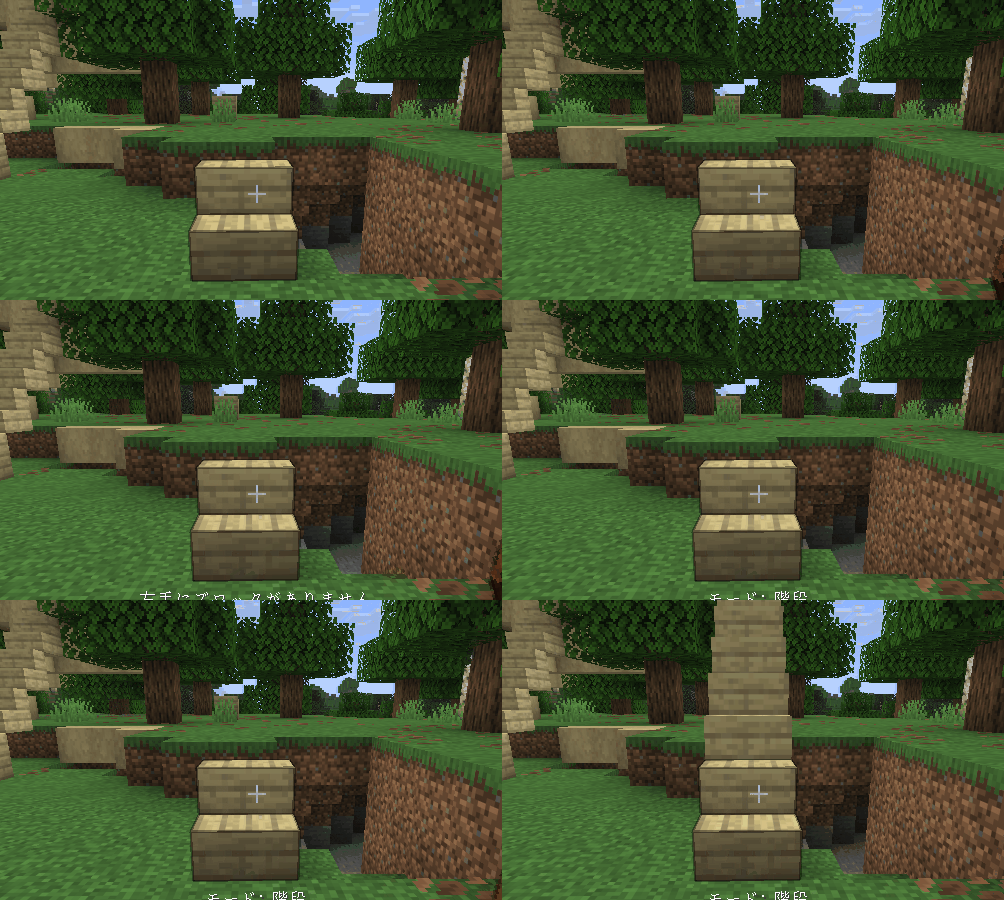
Extend Mode
Blocks can be placed in midair as long as they are connected to an adjacent block. No more awkward sneaking while trying to place blocks at the edge!
In this mode, you must hold the block you want to place in your off-hand.
Recipe

Unique Modes
Stone Tonkachi
Has a special block rotation mode.
- Rotate — Changes block orientation horizontally (front/back/left/right).
- Upside Down — Changes block orientation vertically (up/down).
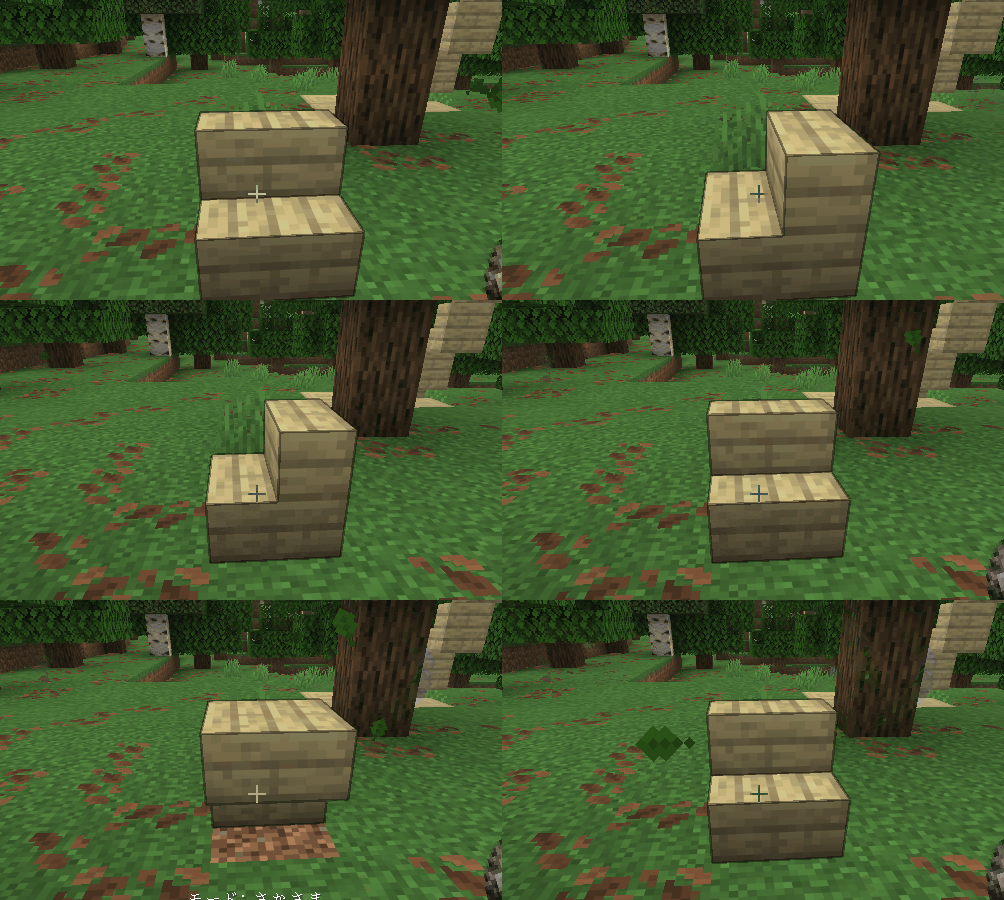
Iron Tonkachi
Has advanced variants of Vertical Mode.
- Vertical (Up) — Places blocks upward.
- Vertical (Down) — Places blocks downward.
These modes are easier to control than normal Vertical Mode when you only want movement in one direction.
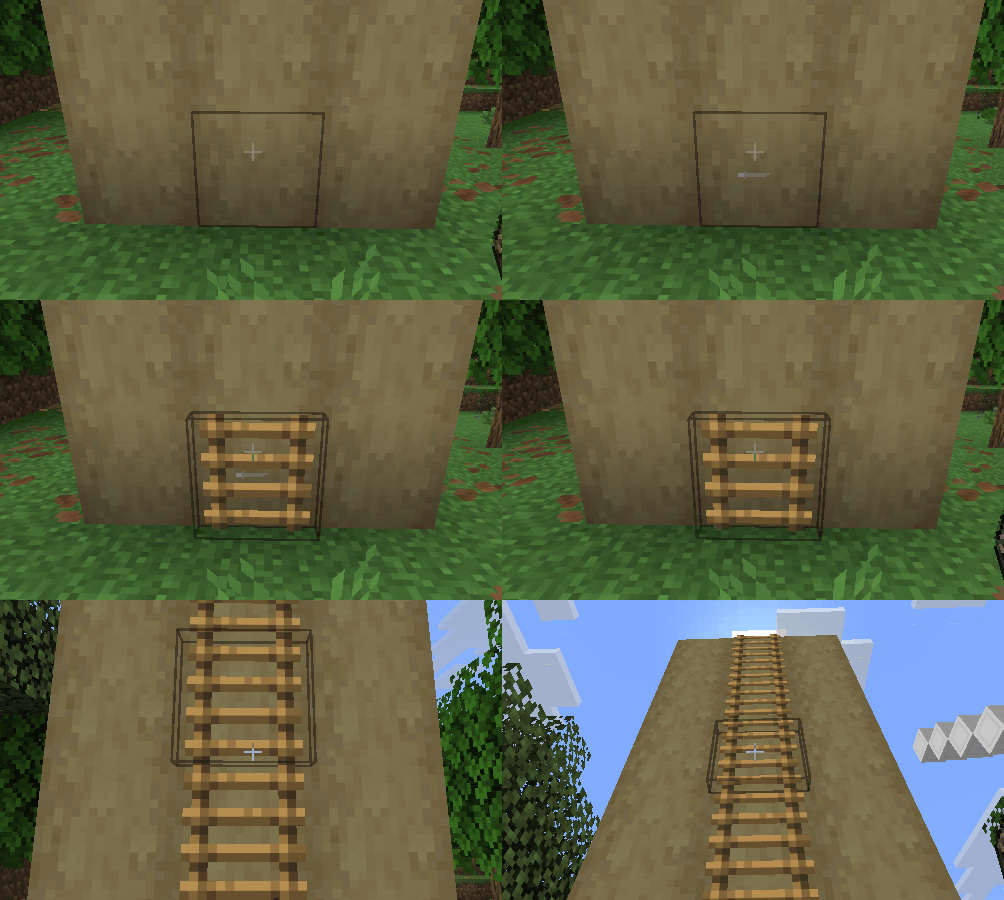
Diamond Tonkachi
Has an Air Place Mode.
Unlike Extension Mode, this allows blocks to be placed freely in the air even without adjacent blocks.
Just like Extension Mode, you must hold the block to place in your off-hand.
Wooden Tonkachi
Has low durability and no special abilities.
Its range is extremely limited, and it cannot use Flat Mode. However, because it has fewer modes, switching between them is simpler and faster.
Useful for smaller builds, and very cheap to repair since it uses logs as the repair material.
About the Name
“Tonkachi” is a Japanese word for a small hammer commonly used by carpenters.
The mod name comes from the Japanese onomatopoeia “ton-ten-kan-ten,” which imitates the sound of hammering during carpentry work.
External resources
Project members

ghlim
Member